







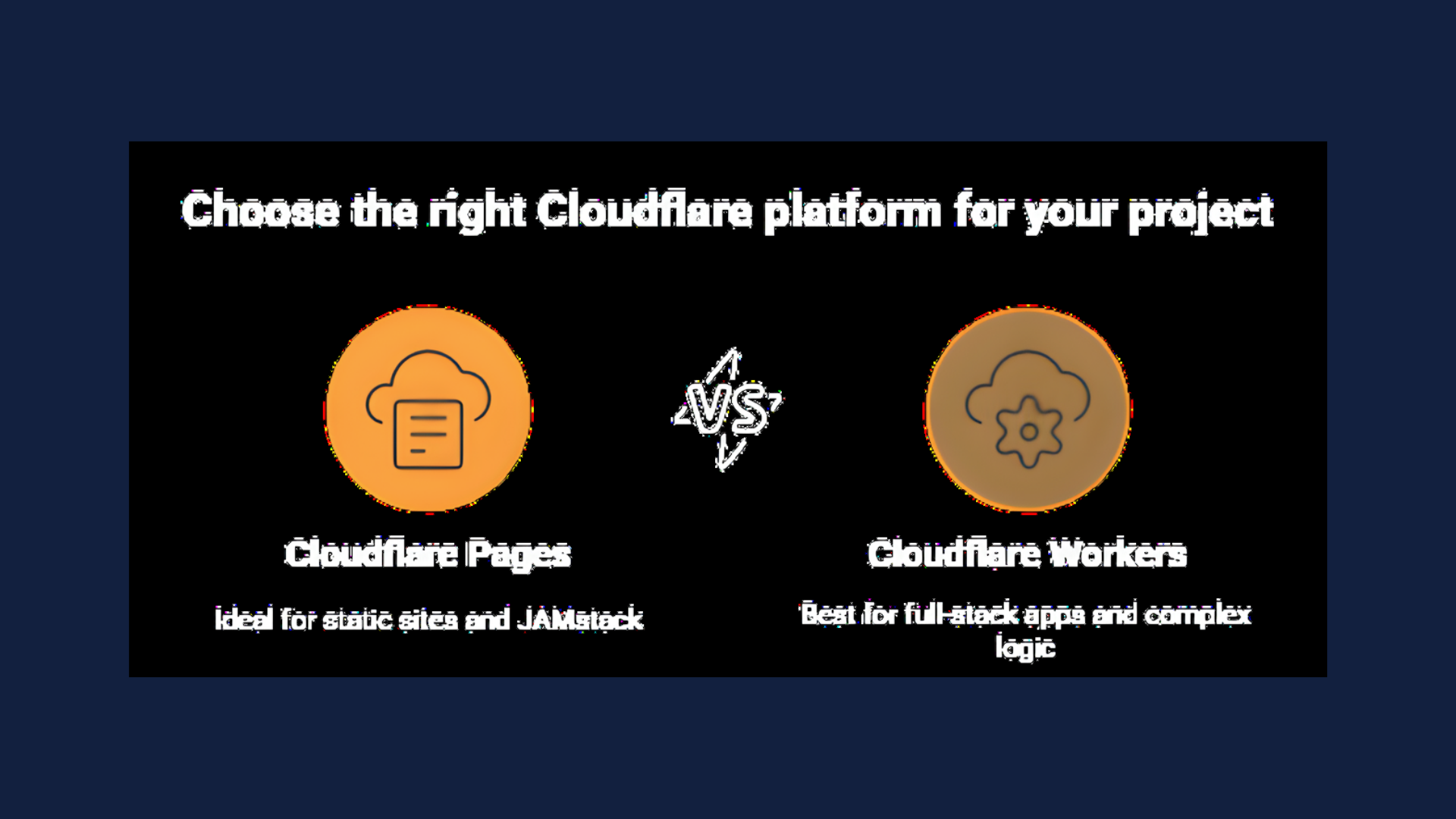
If you’re building on Cloudflare’s edge platform, you’ve probably wondered whether Pages or Workers is the better fit.
Though Cloudflare is converging the developer experience (so static assets and dynamic logic can increasingly live together), the Pages vs. Workers distinction still matters for workflow, routing, and billing.
So, in this guide, we’ll try to cover everything you need to make your pick while taking a look at what convergence means in practical terms.
Who is this guide for?
This guide is for developers and teams deciding where to host a site or app on Cloudflare, and who want a clear, implementation-oriented answer.
It’s especially relevant if you’re:
- Deploying a static or JAMstack site
- Building a full-stack application
- Unsure when requirements like auth, complex routing, state, background processing, or scheduled jobs push you toward Workers
- Trying to choose a default platform pattern your team can reuse (Git-first vs Wrangler-first)
What’s in this guide?
To make the choice simple, this guide includes:
- Key takeaways you can skim quickly
- A decision-maker section (“use Pages when… use Workers when…”)
- A conceptual breakdown of what Pages and Workers really are
- A practical comparison of workflow, routing, features, and pricing
- An FAQ for anything not covered above
Let’s get started.
Key takeaways
- Cloudflare Pages is optimised for static and JAMstack frontends with Git-based CI/CD, while Cloudflare Workers is a general-purpose serverless platform for APIs, backends, and dynamic logic
- Cloudflare has been converging the Pages and Workers experience over time
- New greenfield projects are often better started as Workers with static assets, while existing JAMstack repositories may fit well on Pages
- Pricing differs meaningfully: Pages has its own plan tiers for builds and concurrency, while Pages Functions are billed as Workers requests (so function usage maps to Workers pricing and limits)
- For blog post sites and marketing sites, Pages is typically the simpler choice. For SaaS dashboards, APIs, and higher-complexity applications, Workers provides more control and primitives
- Convergence mostly shows up in tooling and project structure: you can develop and deploy static assets alongside Worker logic with the same Wrangler-centric approach
Cloudflare Pages vs Workers: decision-maker
When deciding between Pages and Workers, start with your project’s primary function.
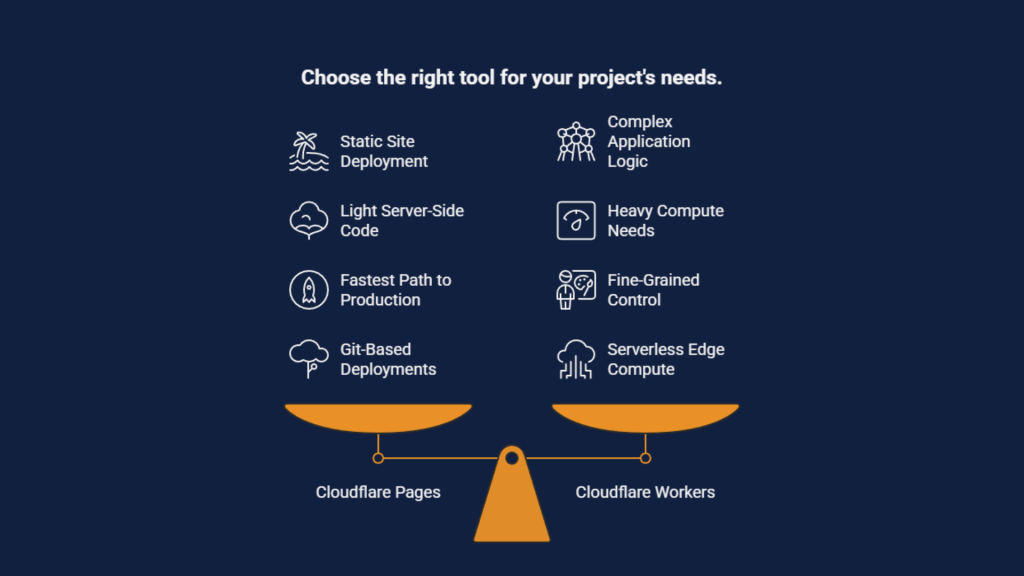
If you’re deploying a static site, documentation portal, or JAMstack application with light server-side code needs, Cloudflare Pages offers the fastest path to production.
If you’re building an API, authentication layer, or application requiring complex routing and stateful logic, Cloudflare Workers is the better foundation.
Cloudflare Pages (history and orientation)
Cloudflare Pages launched in 2020 as a platform optimised for Git-based deployments of static and JAMstack sites. It supports frameworks like React, Next.js SSG, Astro, and SvelteKit with built-in CI/CD and automatic preview deployments on every pull request. You connect your GitHub or GitLab repository, specify a build command, and Cloudflare handles the rest.
Cloudflare Workers (history and orientation)
Cloudflare Workers debuted earlier in 2017 as a serverless edge compute platform. It runs JavaScript, TypeScript, and WebAssembly across Cloudflare’s global data centres, making it ideal for APIs, request rewriting, authentication, background jobs, and full-stack applications requiring fine-grained control.
As Cloudflare continues converging these experiences, you can serve static files and dynamic Workers logic in a single project (for example, via Workers serving static assets). Pages and Workers still remain distinct concepts in documentation, workflow, and billing.
The choice in a nutshell
- Use Pages for mostly static content and simple SSR with Pages Functions
- Use Workers for complex routing, heavier compute, queues, durable objects, and fine-grained control
- Consider a hybrid approach where Pages serves your UI and Workers power your APIs
Now that you’ve got the ingredients for a quick decision, read on if you’d like to get into the details.
Conceptual overview: what are Cloudflare Pages and Workers?
Cloudflare’s developer platform essentially has two complementary offerings. Pages is frontend-centric, while Workers is compute-centric.
Both run on the same global network, but they approach deployment and development from different angles.
Cloudflare Workers: the compute engine
Workers is an edge runtime executing JavaScript and TypeScript across Cloudflare’s global network, making it ideal for APIs, request rewriting, authentication, background jobs, and full-stack applications requiring fine-grained control.
Workers integrates natively with Cloudflare’s data services:
- KV: key-value storage for configuration and session data
- R2: object storage compatible with S3 APIs
- D1: serverless SQL database (GA since April 2024)
- Durable Objects: strongly consistent state for real-time applications
- Queues: background task processing and event-driven workflows
Cloudflare Pages: the Jamstack platform
Pages is a frontend deployment platform that builds from GitHub or GitLab and ships static assets to Cloudflare’s edge. This makes it ideal for marketing sites, docs, blogs, and modern framework frontends that prioritise fast global delivery and simple workflows.
Pages includes:
- Git-based builds and deploys: automatic builds on push and merge
- Preview deployments: per pull request and per-branch preview URLs for review and QA
- Edge static delivery: global CDN distribution with caching and fast rollouts
- Pages Functions: convention-based serverless endpoints for forms, redirects, lightweight API routes, and small bits of backend logic
- Custom domains and SSL: HTTPS and domain routing for production readiness
Architecture and development model
Both products run on Cloudflare’s edge network, but they differ in how you structure projects, define routes, and deploy code.
Workers: configuration-first approach
With Workers, you typically define a single entry point (like src/index.ts) or use a routing framework. Configuration lives in wrangler.toml or wrangler.json, and you deploy via the Wrangler CLI or API.
export default { async fetch(request, env, context) { const url = new URL(request.url); if (url.pathname === “/api/data”) { return new Response(JSON.stringify({ status: “ok” }), { headers: { “content-type”: “application/json” } }); } return new Response(“Not found”, { status: 404 }); } };Workers give you full programmatic routing. You can use switch/case on URLs, integrate frameworks like Hono or itty-router, and attach multiple bindings (KV namespaces, R2 buckets, Durable Objects) directly in configuration.
Pages: Git-first workflow
Pages uses a Git-centric workflow. You connect a repository, specify your build command and output directory, and Cloudflare automatically builds and deploys on every push to your main branch (or selected branches).
For dynamic functionality, Pages Functions use file-based routing, for example:
- /functions/api/users.ts → handles requests to /api/users
- /functions/item/[id].ts → handles requests to /item/123
This convention is easier for small teams, but less flexible than custom routing in Workers.
The convergence path
What’s actually changed
Convergence is no longer just shared tooling. It is a capability shift. Workers can now host and serve static assets directly, which used to be a Pages-only strength. This means a single Worker deployment can include your frontend files and your backend logic as one integrated unit.
What that unlocks in practice
This makes a Workers-first full-stack approach a realistic default. You can keep explicit routing and bindings, while still shipping a standard frontend build output alongside it. Workers static assets also support an assets binding, so code can fetch static files via env.ASSETS.fetch() when you need dynamic decisions. Workers can also support Pages-style headers and redirects configuration without running code for every request.
Where Pages still fits into the converged world
Pages remains the most opinionated site workflow option, and its dynamic layer still maps to Workers from a metering perspective. Pages Functions requests are billed as Workers usage, while purely static asset requests are free and unlimited.

Performance, security, and reliability
Pages and Workers share the same edge network, so the baseline (global delivery, TLS, DDoS protection) is comparable. The meaningful differences come from when you are serving cached files versus running code, and how much operational control you need.
Performance
If a request can be satisfied as a static asset, both products can be extremely fast because the response is served from cache without per-request compute. Workers can now bundle and serve static assets directly, with caching handled for you. Static asset requests are not billed, whereas requests that execute Worker code are billed as Workers usage.
Performance diverges when you introduce request-time logic (auth checks, routing decisions, personalisation, SSR, upstream fetches).
In Pages that logic typically lives in Functions, which run on the Workers runtime. In Workers, it lives in your Worker entrypoint. Either way, once you are on the compute path, latency and cost become more sensitive to CPU time, upstream dependencies, and caching strategy.
Security
Cloudflare’s platform security features apply to both. The real distinction is where your security decisions live. Pages is a good fit when you mainly rely on platform protections and only need light, route-level logic.
Workers is a better fit when security depends on consistent, code-driven enforcement across many routes, because the application runtime is the primary deployment unit. Pages Functions still execute as Workers code, so you can implement the same patterns, but the workflow and routing conventions may be the deciding factor.
Reliability and operational control
Pages tend to be simpler operationally because the main artefact is a built site with optional Functions, and its dynamic usage is metered under Workers.
Workers tends to offer more explicit operational control because configuration and bindings are first-class in Wrangler, and you can keep frontend assets and backend logic in one deployable unit when that reduces moving parts.
Pages and Workers pricing
Pricing structures between Pages and Workers differ meaningfully, and understanding these differences helps you estimate costs for your specific use case.
Note: prices and limits change. Always verify current pricing on Cloudflare’s official pricing pages before making decisions.

Workers free tier
- Approximately 100,000 requests per day
- Limited CPU time per request (around 10ms)
- Suitable for prototypes, hobby projects, and low-traffic APIs
Workers paid (from $5/month)
- Minimum charge of $5/month
- Per-usage billing beyond included quotas
- Pages Functions usage is billed as Workers usage, so Functions requests and CPU time follow Workers pricing and limits
Pages free tier
- 1 build at a time, 500 builds/month
- Unlimited sites, unlimited static requests, unlimited bandwidth
Pages paid tiers
Unlike the Workers tiers (runtime metering) and the Pages free tier (fixed headline limits), Pages paid tiers mainly raise build quotas and concurrency in plan-dependent ways, so there are no single fixed figures to list. Functions usage is still billed as Workers usage under Workers pricing and limits.
The bottom line
If your project is a site of simple HTML pages, Pages is the simplest and fastest path. If your project is primarily an application runtime, Workers is the better base.
How we can help
If you need a steady hand at the Cloudflare dashboard, you’ve come to the right place. Whether you’re working with a simple Pages project or building a complex Worker script to implement serverless functions, we can help.
Just get in touch, and a member of our team will be with you in no time.